
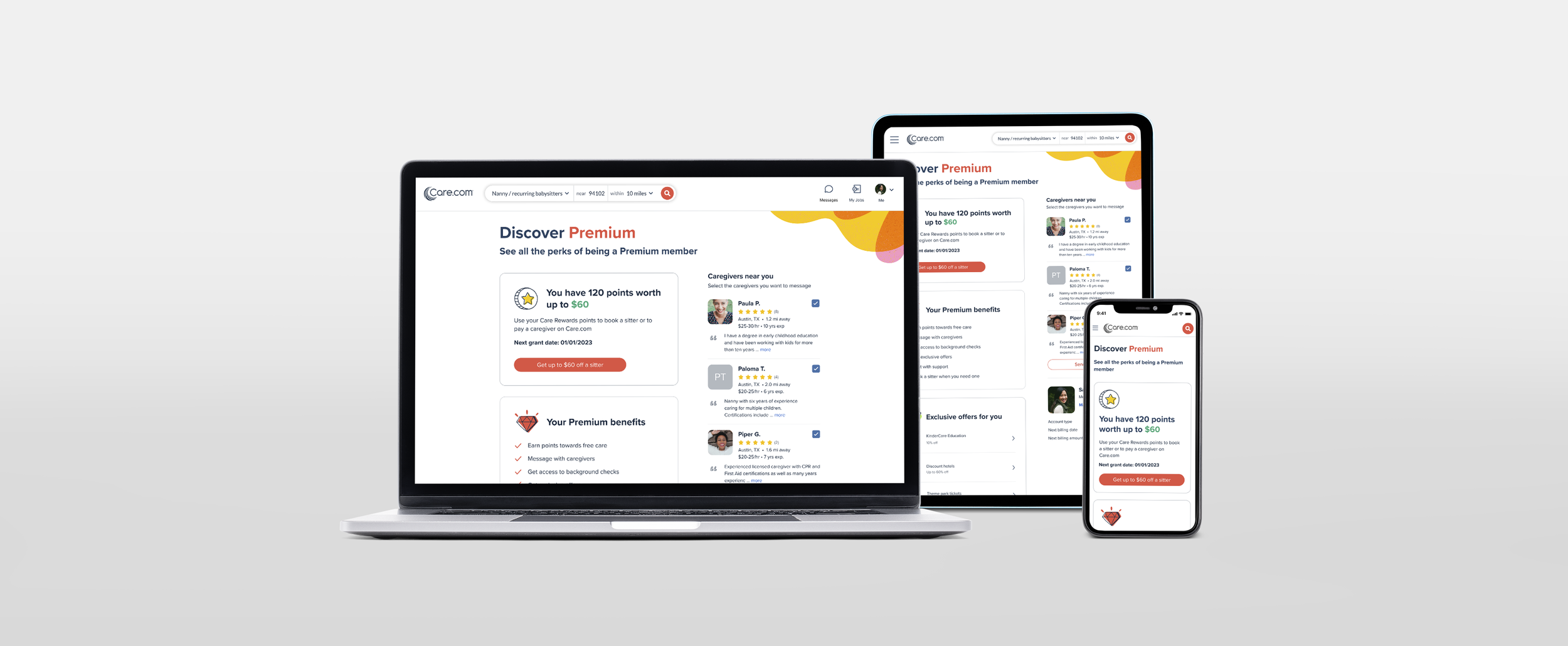
My Premium
The My Premium page is the hub for Care.com’s Premium members, giving them access to rewards points, exclusive discounts, and additional features, as well as the option to downgrade to a basic membership. My goal was to redesign the page to highlight the value of Premium and encourage retention. Through strategic UX improvements, we emphasized member perks and made the downgrade option less prominent. The redesign was successful, resulting in a 20% decrease in users clicking the cancellation button.
Tools: Figma
Role: Product Designer
Team: Product Manager, Content Designer, Engineer
Downgrade flow
Hypothesis
By bolstering the emphasis on Care’s Premium value propositions and shifting the manage membership function to the bottom of the page, the cancellation rate from the My Premium page will be reduced.
Existing UI
Wireframes
To optimize the My Premium page, I started by rethinking how information was arranged to better highlight the value of Premium membership. After several iterations, I introduced a two-column layout with a clear hierarchy.
Primary column: Focused on educating users about the benefits of Premium:
Care Rewards points balance and next grant date
Comprehensive list of Premium features; messaging, background checks, etc.
Exclusive discounts from partner brands
Secondary column: Included supporting content and actions:
Suggested caregivers nearby
Membership management options
This layout ensures that users’ attention is drawn first to the perks and benefits, while secondary information remains accessible without distracting from the main message.
Early designs
Next, I developed several high-fidelity design variations to explore icon placement, color, and copy. These were presented in an internal design review, and final decisions were guided by team feedback.
Key design decisions included:
Primary red CTA buttons to clearly signal where users should take action
Left-aligned icons to draw attention to important information
Limiting suggested caregivers to three for a cleaner, more focused layout
White cards with subtle color accents through icons and shapes to maintain visual hierarchy
“For you” language in headers to personalize content (e.g., Your Premium benefits, Exclusive offers for you, Caregivers near you)
These choices improved clarity, visual hierarchy, and user engagement while keeping the page approachable and easy to scan.
Users with Care Rewards
Users with no rewards points
Users with no search results
Prototype
Impact
The new UI was A/B tested against the existing design, and the results were clear:.
There was 20% decrease in users clicking the “Cancel membership” button and a 15% decrease in users completing the cancellation confirmation.
Based on these results, the new UI was rolled out to 100% of users. Future iterations of the page will continue to be tested to further optimize retention and engagement.
Information hierarchy matters: Designing this page reinforced the importance of arranging content to highlight what is most valuable to users. Prioritizing Premium benefits helped make the page more impactful and reduced cancellations.
The value of group feedback: Presenting high-fidelity variations to Care.com’s Product Design team and leadership provided essential insights that guided critical design decisions. This collaboration was a key factor in the success of the redesign.